You need to use Password Manager right NOW!!
With data breaches everywhere, internet security is a major concern. Even if you do not want to go through any hassle, here are the minimum steps that will put you from easy targets to hard.
Let’s see how many account do you have in the internet? Facebook, Gmail, Instagram, Twitter, Bank Account. Ah yeah Bank Account. Do you use same password for everything or atleast multiple accounts and never even changed that 2010 password you created and its everywhere. That my friend is a Red Flag.
Look, I am aware, Internet Security seems like a bi66g deal to manage. But let me tell you a secret. You dot have to be the most secure person, just don’t be the easiest target. That’s all it is. You don’t want to be victim of some kid who watched a 10 minute Youtube video. Be wise, we’ll worry about smart later. And who is wiser than the one who don’t only protect his past but also his future, right? RIGHT? Alright, let’s get into it.
Make your Password Complicated
Think of a book that has every word in English language, does it even exist? Everything? EVERYTHING? Well, it does, its called >! Dictionary. A normal dictionary with 600,000 words would be 250MB. If you look for a big wordlists in google today you can download almost 45 GB of it. Point is, its not just dictionary terms that are vulnerable today but mixtures of letters, numbers and symbols too. I mean you don’t want to put ‘Passw0rd or Pa$$w0rd’ as your password, the hackers are smart enough to keep those terms in the wordlists.
Through the years, with so many breaches, we have collected a huge database of passwords around the world. Real world passwords used in real life. So there we have it A big book of passwords. Oh also these breaches do have email/username tied to them. There’s a good chance you’d find yourself with your password next to it.
Here, let’s go to a site that tells us if we’ve ever been breached. Go to haveibeenpwned.com, type your email and see what it says. You can even write your password and see if it’s been ever breached. Site is secure.
Trust but verify.
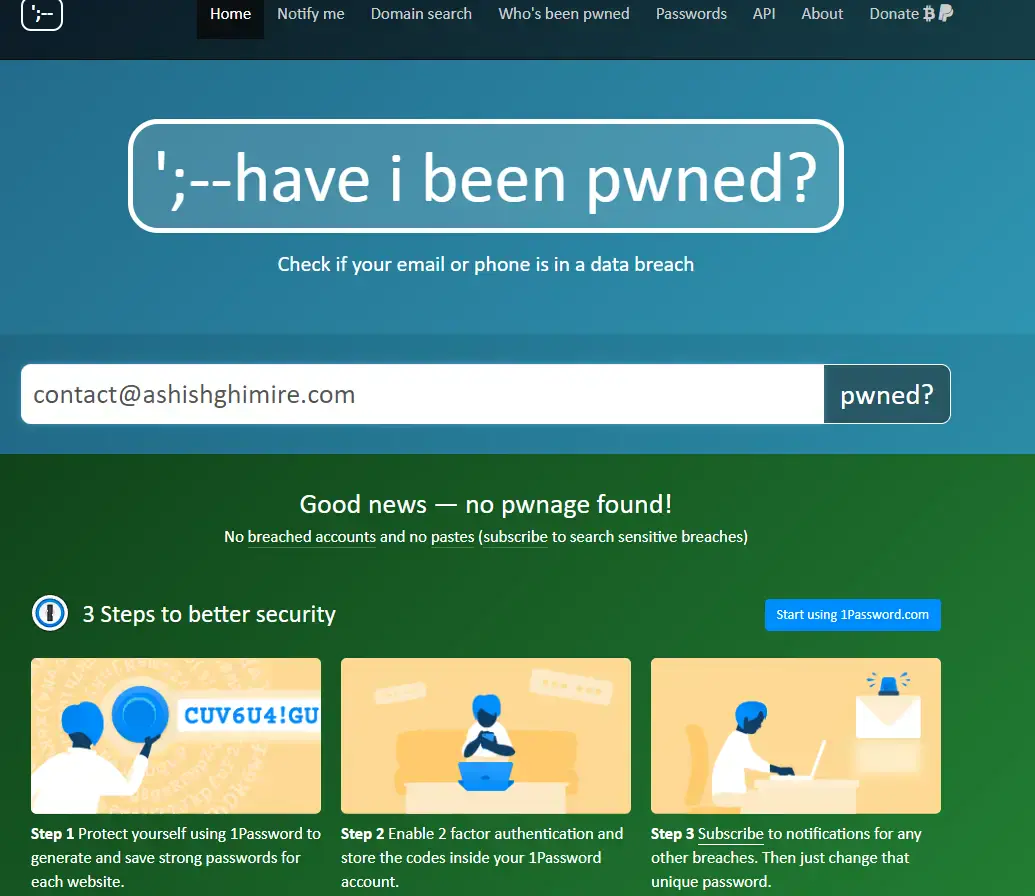
Look at That. I am safe, are you? Now next Step!
We have established we are not going to use weak password. Now what? Now we create strong passwords or pass phrases or pass-novels. You got the point. Make a word or sentence no one will guess, for each site and remember it.
Password Manager
A password manager is something that saves your Password. Your device whether Apple, Android or your PC browser, already comes with password mananger. Remember when you go to a site and the id and passwords are already there? and everytime you use username and password in new site, there’s that annoying popup asking you to save your password. Yeah, that’s password manager. Even google and apple saves your passwords.
Native or Default
For google, go to passwords.google.com. Sign in and there are your passwords saved in google. For browsers like chrome, Edge, Safari, go to Settings>Profile>Passwords. These comes with default so its easy for you to have multiple passwords.
Apple | Settings > Passwords
Android | Settings > General Management > Passwords and Autofill.
Microsoft Edge | Settings >Profile > Passwords.
Firefox | Settings > Privacy & Security > Logins and Passwords > Saved Logins.
Third Party Softwares
Among third party softwares there are Some Paid, others free. NordPass, LesPass, KeePassXC, and one of the Popular Bitwarden.
These Password Managers do not only save but also helps you to create passwords for you. But do not forget your Master Password and generate a strong one that you cna remember, One complex password should’t be tough to remember, have a faith.
Wrap Up
- Do Not use same passwords Multiple Times
- Use Complex Passwords
- Generate Passwords more than 12 letters.
- Use Password Managers to Save or help you create Passwords
- Create a strong Master Password and Remember it.