Vulnhub Kioptrix Walkthrough Part 2
Vulnhub Kioptrix Level 2 walkthrough covering web app enumeration with Nikto, directory brute-forcing with Dirbuster, and exploitation techniques using Burpsuite.

Continuing from Kioptrix Part 1 where we did network discovery and port scanning. Now we go deeper into the web application running on the target. The main tools here are Nikto, Dirbuster, and Burpsuite. Each does a different job and together they give you a full picture of what the web application is exposing.
The goal this time is to enumerate web services, find directories and files we should not have access to, and look for exploitable vulnerabilities in the versions we find.
1
2
Default username: John
Default Password: TwoCows2
NIKTO
Web Vulneribility Scanner
nikto -host url
nikto -h target ip
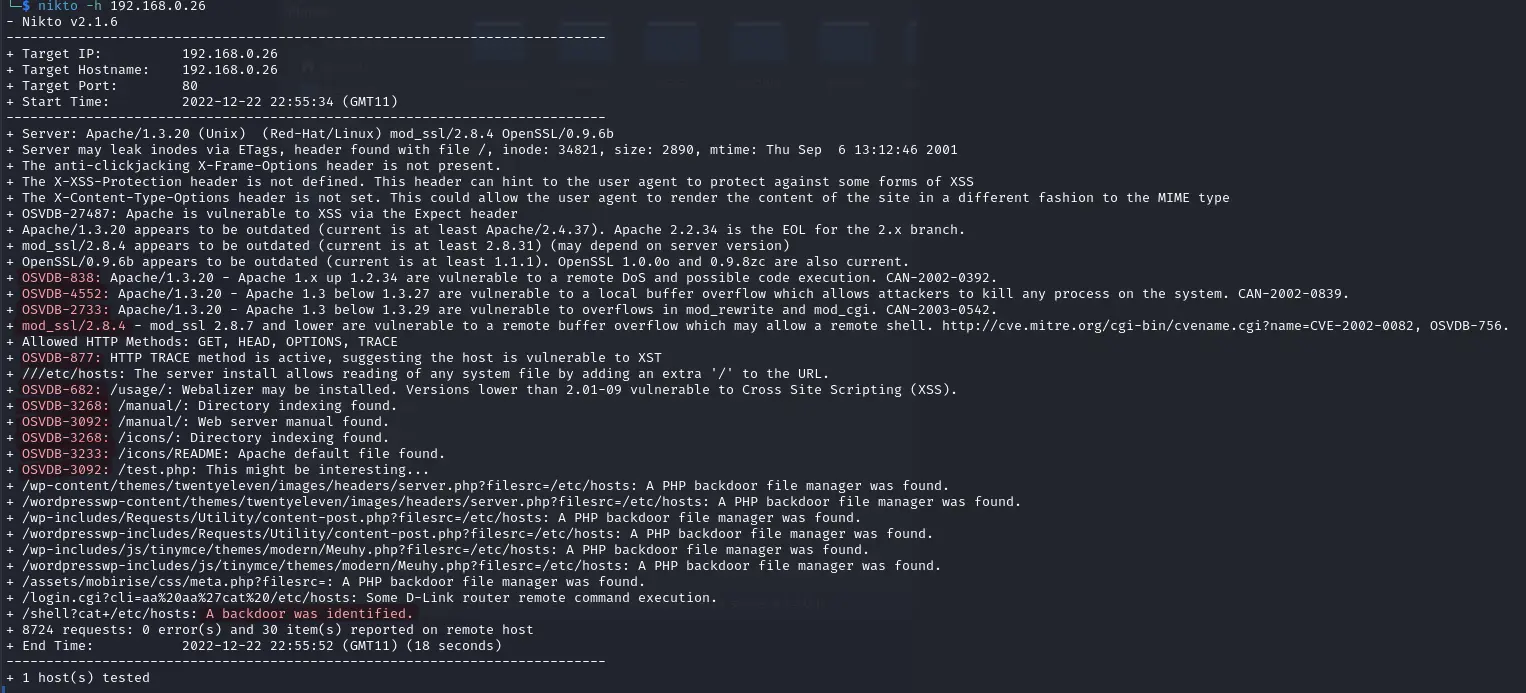
- Findings
- Outdated Applications - Google common exploits for given Version 1) Apache 2) mod_ssl 3) openssl 2) mod_ssl 1) vulnerable to a remote buffer overflow 3) Little bit of Directory Busting
DIRBUSTER
Directory Busting / Finding Folders
ALternatives: gobuster, dirb, ferox boster
dirbuster&- insert target url on Target URL section
- Check ‘Go Faster’
- Check List based brute force
- Click browse, navigate to
/usr/share/wordlists/dirbuster/ - Select a list
- File extension: php,txt,zip choose the extension you want to look for *Note: more extension more time*
- START
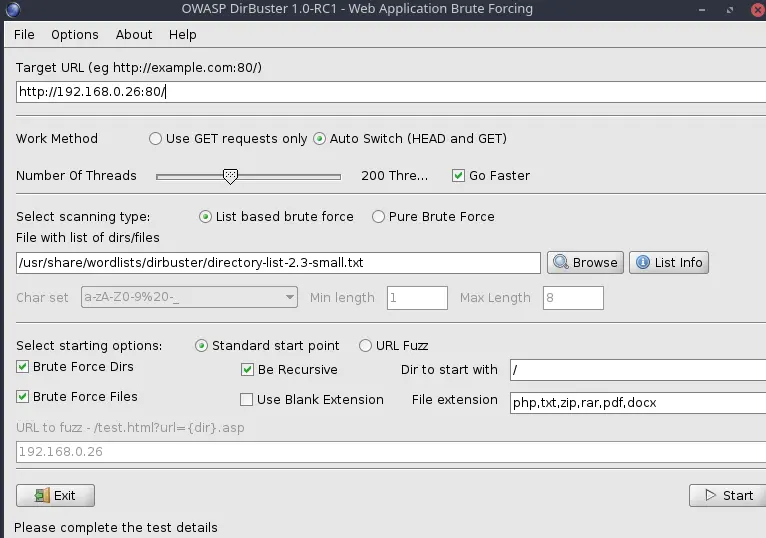
Tip: Dir Scan takes a while. It is always a good idea to start the scan as soon as possible so we can do other task while the scan is running in Background.
BURPSUITE
Security Testing Web Applications
- start Burpsuite
- Setup your browser for burpsuite
- Next, Use Burp default
- Start Burp
- Choose Proxy from Top Menu
Click on Intercept is off to tun it on and Open Browser
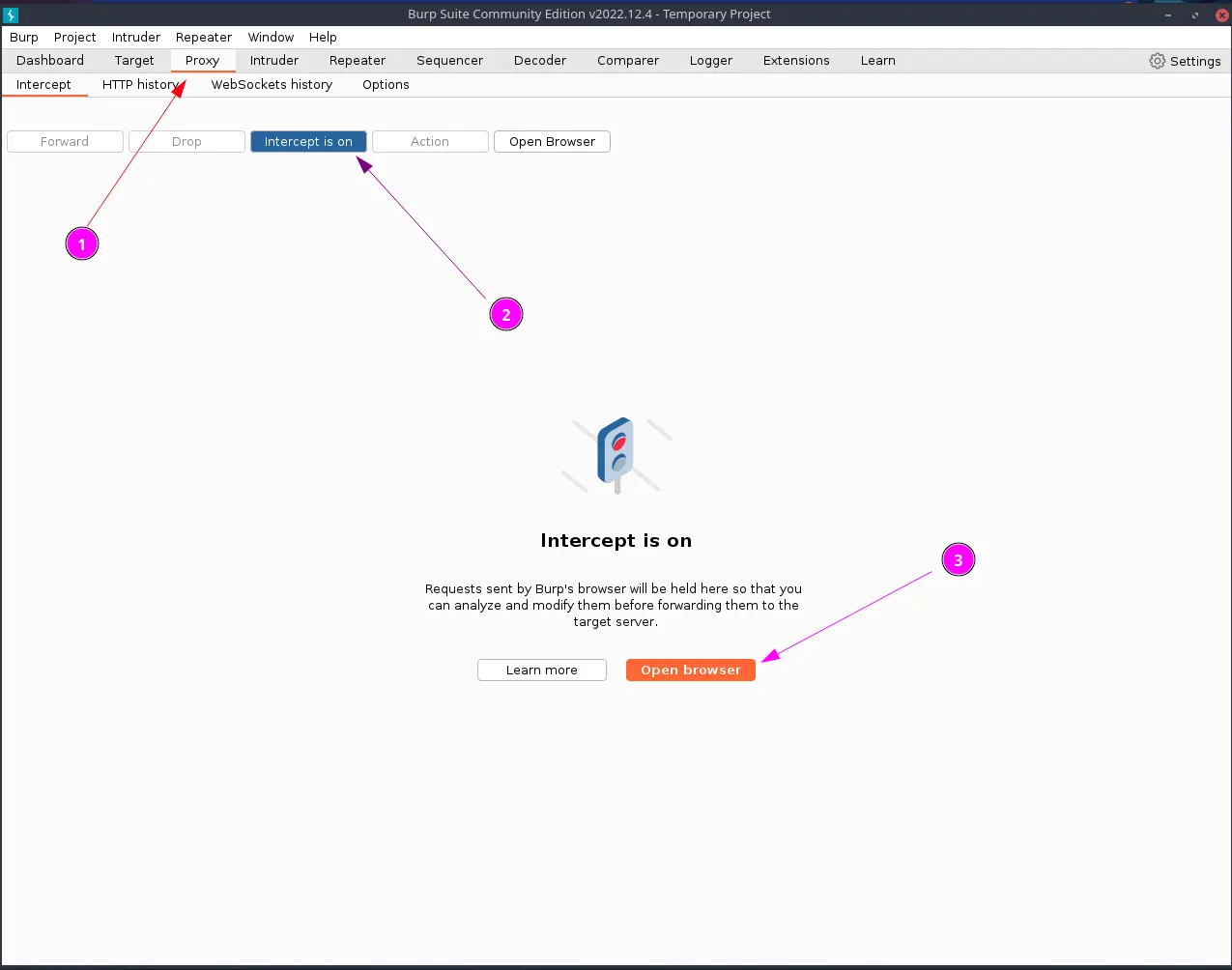
- Open target url on the browser
- on the text area right click > send to repeater
- go to New option repeater on top menu
- try changing command and send
This can modify website
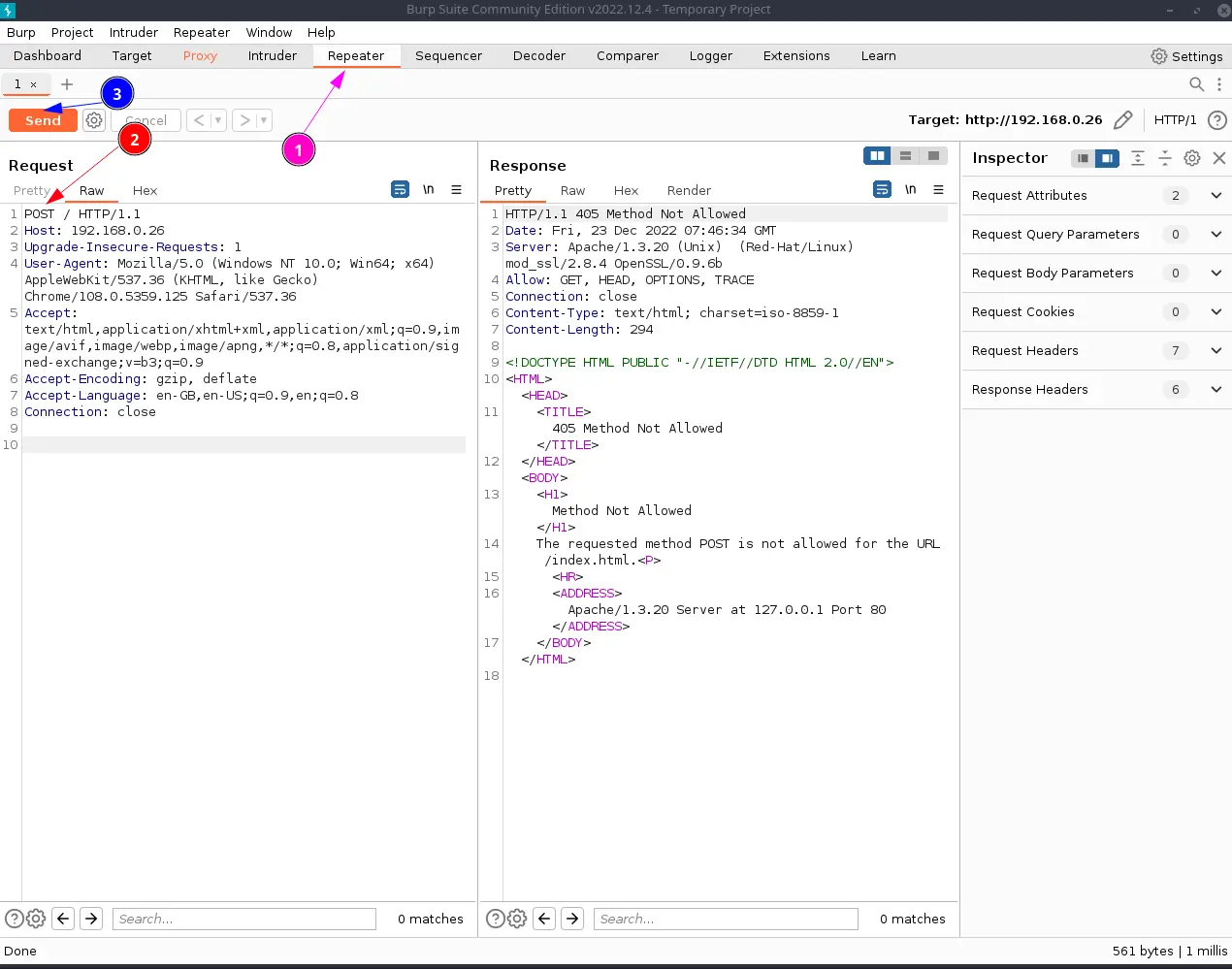
- Screenshot or save result for info Disclosure
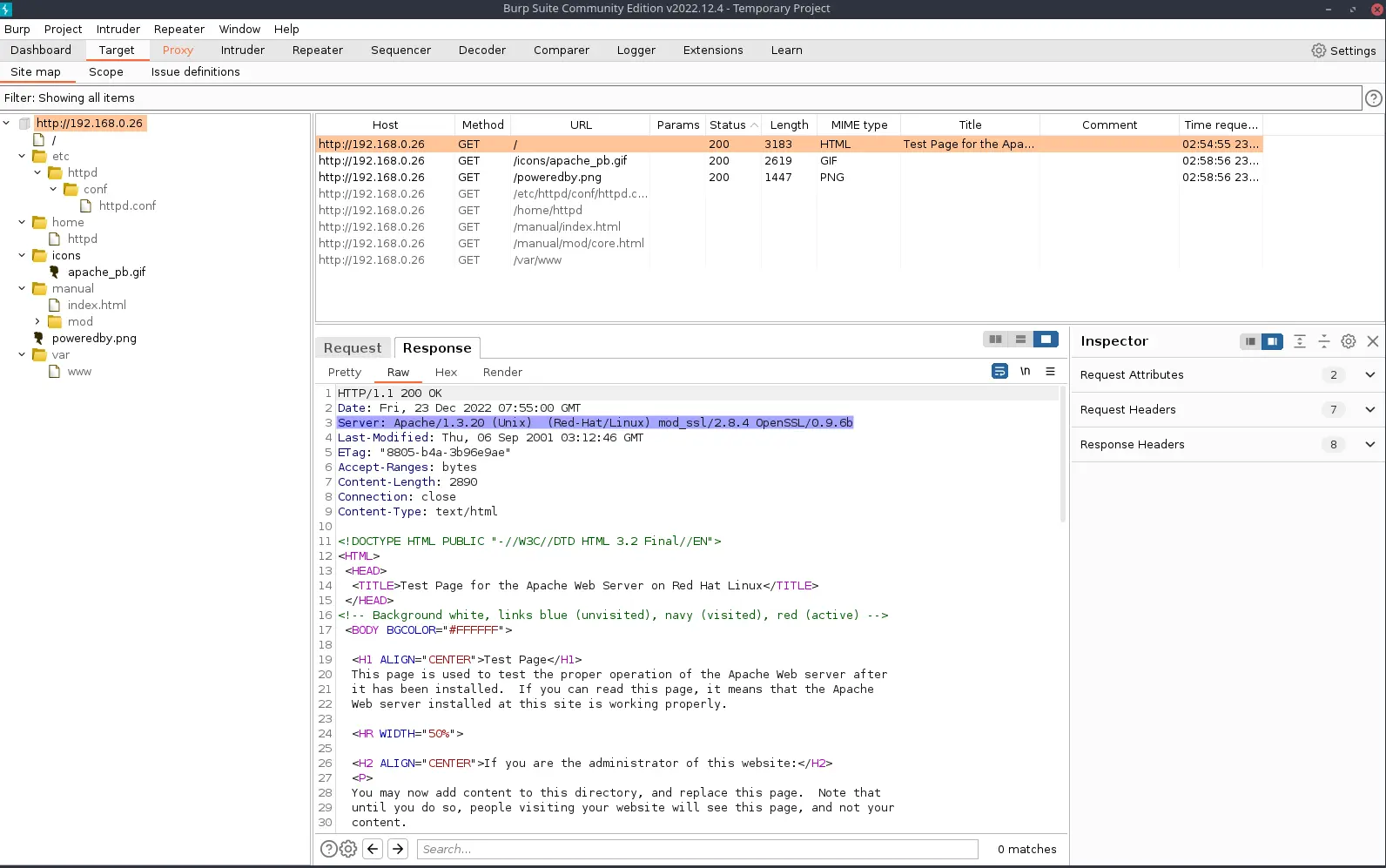
- Go to Target > Sitemap > Response
- Screenshot for Info Disclosure
- Turn Intercept Off
Dirbuster (again)
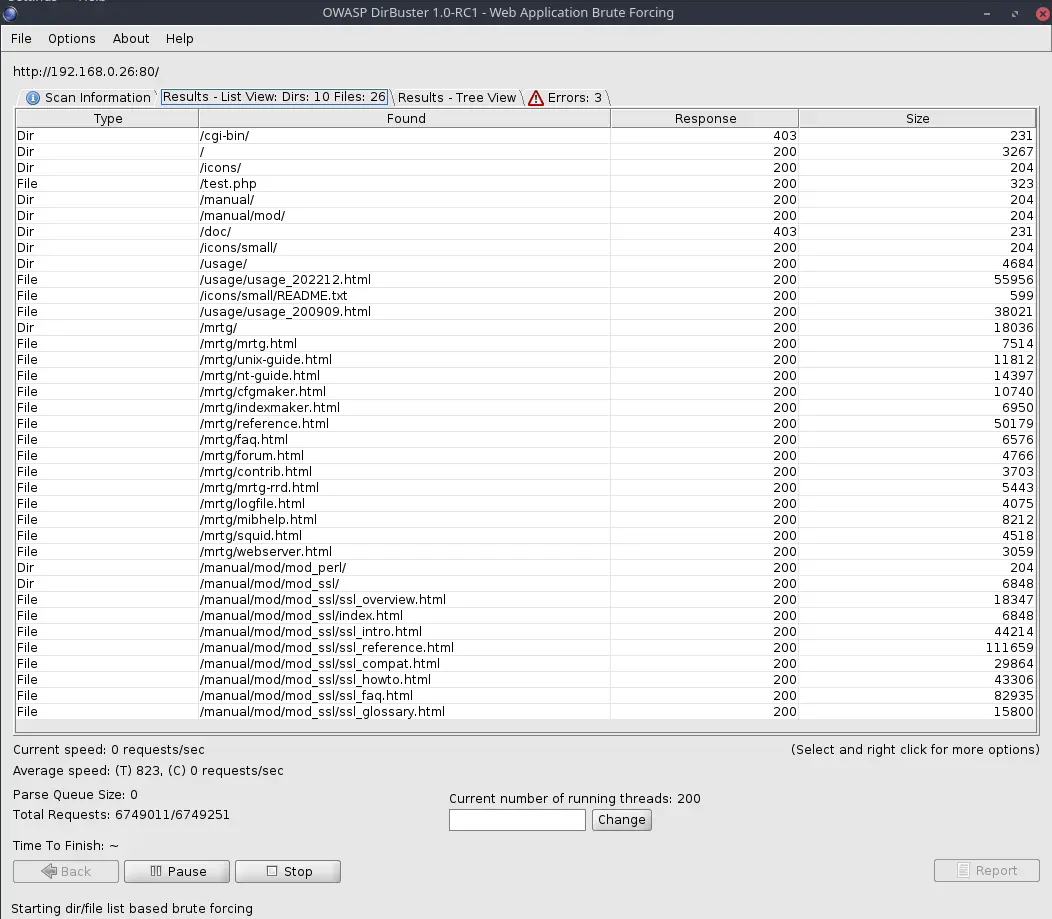
Results are back
- Lets check folders
- Usage seems interesting
- Lets check files in browser
- At the bottom there is Webalizer 2.01
- Lets note that
Check through files and sources for possible Passwords and Leaks
METASPLOIT
Exploitation Framework
msfconsole- msf6 >
search smb - You will see many results, lets find SMB version
- there’s a path auxiliary/scanner/smb/smb_version (Long way to do it)
use auxiliary/scanner/smb/smb_versioninfo- We found RHOSTS so far, which stands for Remote Hosts
set RHOSTS _Target IP_run- We found
- Samba 2.2.1a
SMB Client
Connect to file share
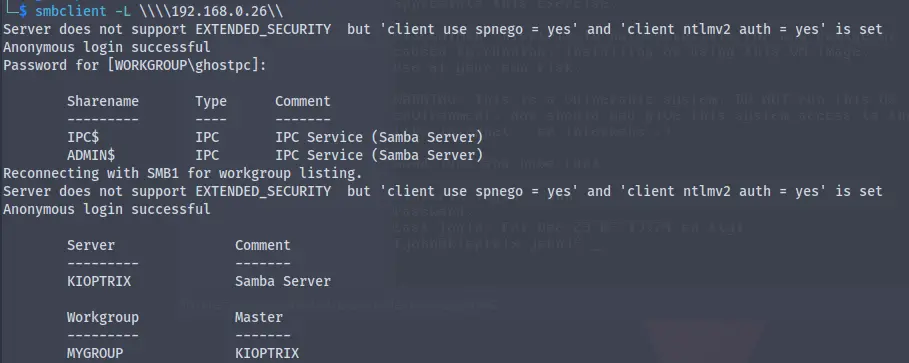
smbclient -L \\\\target ip\\- -L lists the files
- use the slashes()
- Just Press Enter without Password
NOTE: Question: My enum4linux and/or smbclient are not working. I am receiving “Protocol negotiation failed: NT_STATUS_IO_TIMEOUT”. How do I resolve?
Resolution: On Kali, edit /etc/samba/smb.conf Add the following under global:
- Here we find IPC and $admin , $admin is useful to us lets try it
- Let’s try again
smbclient \\\\target ip\\ADMIN$- Wrong Password
smbclient -L \\\\target ip\\IPC$- We are inside SMB
ls: To list files- ACCESS DENIED
SSH
Remote Login
- From our
nmap scanwe have OpenSSH version 2.9p2 ssh target_ip- Their offer: diffie-hellman-group-exchange-sha1,diffie-hellman-group1-sha1
ssh target_ip -oKexAlgorithms=+diffie-hellman-group1-sha1- It is going to ask for Cypher
- If you get Their offer: ssh-rsa,ssh-dss
- Navigate to ~/.ssh/config
- add HOST targetip HostKeyAlgorithms +ssh-dss
- Now it asks for cypher
ssh target_ip -oKexAlgorithms=+diffie-hellman-group1-sha1 -c aes128-cbc- Its asks for confirmation Type: yes
- It prompts for password
- Lets exit
- We are not going to exploit yet.
What We Found
By the end of this phase you should have:
- A list of web directories and files from Dirbuster
- Known vulnerable software versions from Nikto (Apache, mod_ssl, OpenSSL)
- SMB shares on the target with the Samba version confirmed via Metasploit
- SSH access confirmed with legacy key algorithm negotiation
The version numbers are the important thing. Kioptrix is intentionally running old software. Search those versions in Searchsploit or Exploit-DB and you will find public exploits ready to go.
The mod_ssl version Nikto flagged is vulnerable to a remote buffer overflow. That is the main exploitation path on this machine.