Syncthing Three-Way Sync Across VLANs
VLANs broke my Syncthing setup. Global discovery off, relay off, and Syncthing had no idea where my devices were. Here is how I fixed it.
I use Syncthing to sync my Obsidian vault. Server on the utility VM, Windows PC, and my Pixel. The server acts as the middle point so my phone and PC do not need to be online at the same time to stay in sync. It has worked great. A minute or two for changes to sync across, which is totally fine for notes.
Then I upgraded my network and introduced VLANs. That broke everything.
Why I Turned Off Global Discovery and Relay
When you first set up Syncthing it uses global discovery and relay by default. Discovery lets devices find each other through Syncthing’s infrastructure. Relay is a fallback when direct connections fail, it routes your traffic through Syncthing’s relay servers.
Now I had two reasons to turn both off.
First, I started monitoring my DNS traffic and noticed how noisy Syncthing was. Constant calls out to discovery servers, relay servers, checking in. Since I host everything locally and I have Twingate installed for remote access, there was no reason for any of that. I want sync traffic to stay on my LAN, not bounce through someone else’s infrastructure.
Second, I had just set up VLANs so I already knew my network was about to get more restrictive. Better to get off the global infrastructure now and do it properly.
So I turned off global discovery and relay. Clean, local, exactly how I wanted it.
That is when things broke.
What VLANs Actually Did
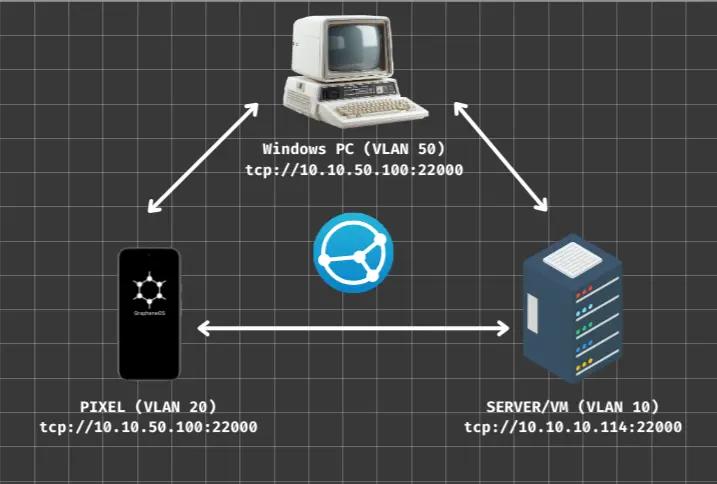
Servers sit on VLAN 10. PC on VLAN 50. Phone on VLAN 20. Three different network segments with firewall rules controlling what can talk to what.
Without global discovery, Syncthing needs to know exactly where to find each device. It used to use UDP multicast on port 21027 for local discovery. Multicast does not cross VLAN boundaries. So with global discovery off and local discovery also useless across VLANs, every device just sat there. Last seen: never.
There is also mDNS involved in local discovery. mDNS is link-local only, it does not cross VLANs on its own. To make it work across segments you need a multicast proxy bridging the VLANs, and I did not want to set that up without fully understanding what it would expose. A proxy like that could let devices on one VLAN discover services on another, which might be more visibility than I want between segments. Pinning addresses manually is simpler and I know exactly what it does.
The already running service that had been working for months was now completely broken.
Fix 1: Pin Addresses Manually
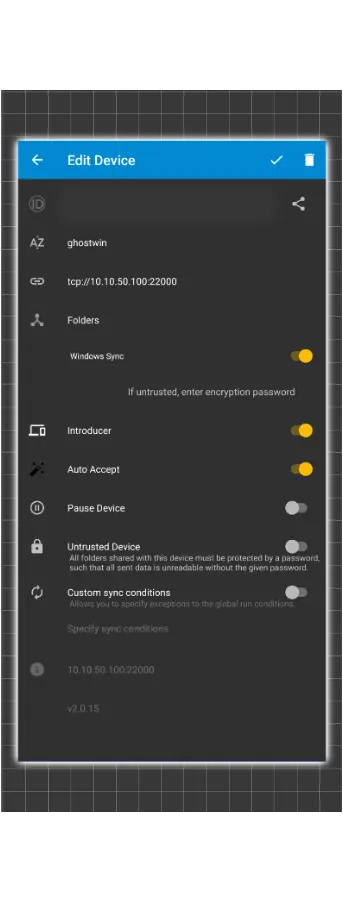
If Syncthing cannot discover devices on its own, you tell it where they are. Simple rule: stationary hosts get a pinned address, mobile devices get dynamic because their IP changes.
| Device entry | Address |
|---|---|
| Server (from any client) | tcp://10.10.10.114:22000 |
| Windows PC (from Pixel) | tcp://10.10.50.100:22000 |
| Phone (from anyone) | dynamic |
The phone’s IP changes across different networks so you cannot pin it. Let the phone always dial out and the other devices will accept the connection.
One thing that tripped me up here. Syncthing has a “device defaults” setting under Actions then Settings. I changed the address there assuming it would update existing devices. It does not. It only applies to new devices added after you change it. Had to go into each existing device individually and update the address.
Fix 2: Firewall Rules in OPNsense
Even after pinning addresses, the phone and PC would not connect directly to each other. VLAN 20 where the phone lives had no rule allowing it to reach VLAN 50 where the PC is. Needed to add one.
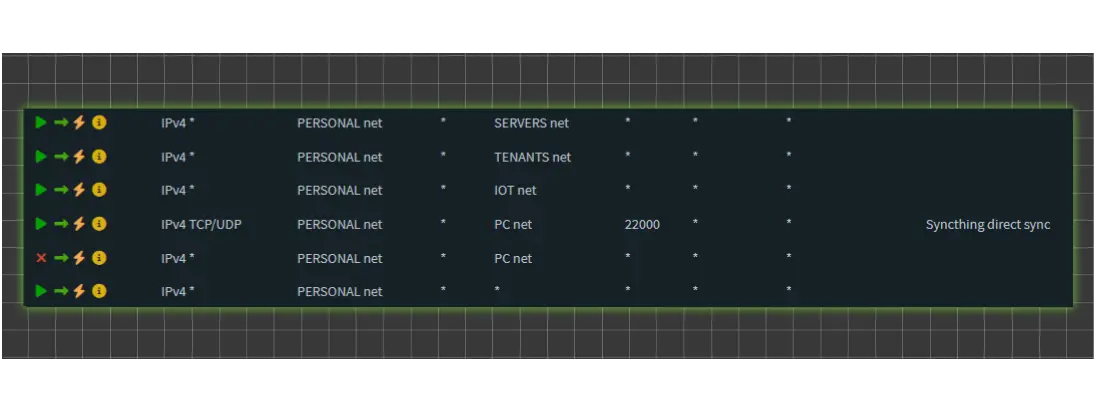
Adding the rule was easy. The order was what got me. OPNsense processes rules top to bottom and stops at the first match. I added the Syncthing pass rule but it ended up below an existing block rule for that VLAN pair. The pass rule was never being evaluated.
Correct order on the PERSONAL interface:
1
2
3
4
5
6
Pass   PERSONAL net   SERVERS net     any
Pass   PERSONAL net   TENANTS net     any
Pass   PERSONAL net   IOT net         any
Pass   PERSONAL net   PC net          TCP/UDP  22000   <- Syncthing exception
Block  PERSONAL net   PC net          any              <- everything else blocked
Pass   PERSONAL net   *               any              <- internet
Pass rule for Syncthing port above the catch-all block. Move it up, direct connections started working.
Pairing Devices
Do not type device IDs manually. When an unknown device tries to connect Syncthing shows a banner asking if you want to add it. Click that, approve on both sides and done. Typing those long IDs is slow and error prone.
How It Looks Now
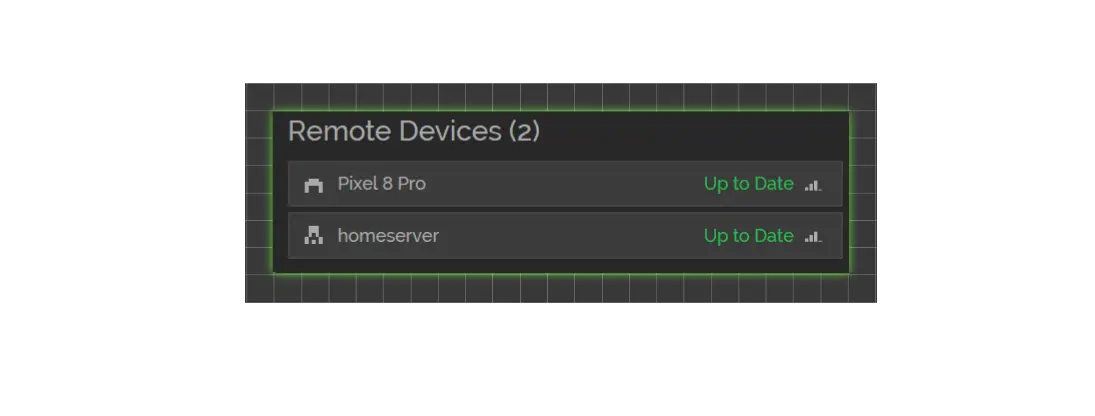
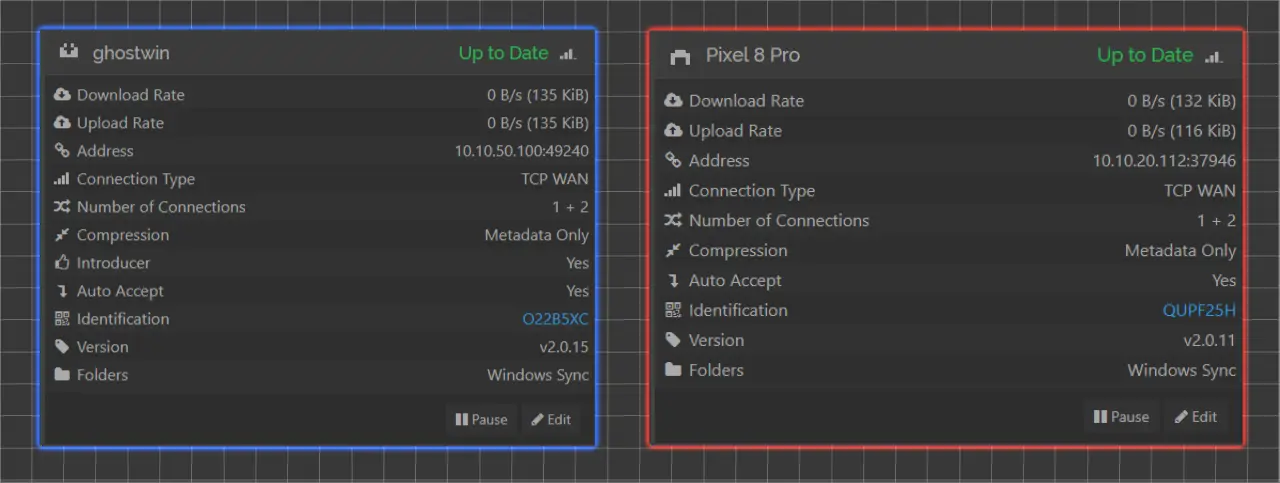
Three-way sync working again. Server and PC, server and phone as the main sync paths. Phone and PC also connect directly when both are on the LAN. All connections show direct LAN IPs, no relay, no DNS noise.
Obsidian vault syncing as it should be, now fully local.
The Short Version
- Turning off global discovery means Syncthing cannot find devices on its own. Pin addresses for stationary hosts, use
dynamicfor mobile. - “Device defaults” does not update existing devices. Change each one manually.
- mDNS is link-local only and does not cross VLANs without a multicast proxy. A proxy bridges discovery across segments which may expose more than you want. Pinning addresses manually is simpler and more predictable.
- OPNsense rule order matters. Pass rule must sit above any block rule for the same destination.